Hi there! Welcome to CrownSoft.
Language choice:Chinese (Simplified)

Language:Chinese

Screen whether to sign up for WhatsApp
Determine gender and age based on WhatsApp avata
Export the.txt/.vcf/.xls/.xlsx file

Screen whether to sign up for WhatsApp / FaceBook / Instgram / Telegram
Filter the active time of various accounts
Export the.txt/.vcf/.xls/.xlsx file
The software supports batch operation of Facebook accounts, and automatesthe completion of tasks through scripts.
Software for FaceBook group marketing, FaceBook fan marketing, FaceBook livemarketing, all kinds of marketing.
Software helps you acquire customers on FaceBook and drive trafhc to your site.

| Product | Price | About Software | Contact Information |
| WhatsApp Filters | 150$/month 300$/quarter 900$/year | Product Details | Online Consultation |
| WhatsApp Cloud Filter | / | Product Details | Online Consultation |
Time:2026-04-10 11:31:47 Source:www.crownsoft007.com
Many users rely on WhatsApp for daily communication or business outreach, but one common and frustrating issue is having an account suddenly banned. So, how long does it actually take to get unbanned? Let’s break it down with insights from CrownSoft.
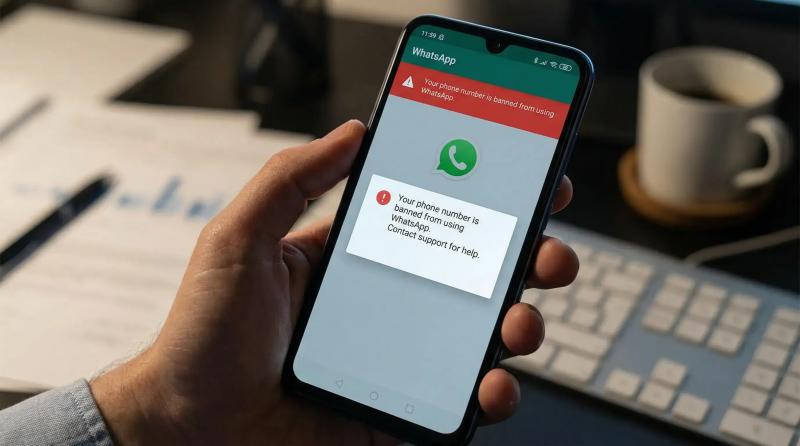
There’s no fixed timeline, but based on real-world cases, bans generally fall into three categories:
This is the most common scenario, usually triggered by:
Sending too many messages in a short period
Being reported by multiple users
Using unstable or frequently changing IP addresses
What it looks like:
You’ll see a message like “Your account is temporarily unavailable”
In most cases, access is restored automatically within 1–3 days
If WhatsApp detects higher risk activity (but not severe enough for a permanent ban), you’ll need to request a review:
Tap “Request a Review” inside the app
Your case will be sent for manual review
Typical timeline:
Fast response: within 24 hours
Slower cases: 3–7 days
Possible outcomes:
Account restored (best case)
Ban upheld (you may try again or move on)
This happens in more serious situations, such as:
Mass messaging or aggressive marketing
Clear violations of WhatsApp policies (spam, harassment, fraud, etc.)
What it looks like:
Message: “This account is not allowed to use WhatsApp”
Multiple appeals usually don’t work
Conclusion:
In most cases, the account cannot be recovered. You’ll need to register a new number.
If your account is already banned, follow these steps:
Tap “Request a Review” in the app
Or submit a request via email
Avoid robotic or overly short messages. Here’s a simple example:
Hello WhatsApp team,
My number was recently banned, and I believe this may have been a mistake. I use WhatsApp mainly for personal or business communication.
If any of my recent activity triggered the system, I sincerely apologize and will make sure to follow all policies moving forward.
I would really appreciate it if you could review my account.
Thank you.
Key tips:
Don’t explicitly admit to violations
Show a cooperative and respectful attitude
Common mistakes include:
Reinstalling the app multiple times
Submitting repeated appeals
These actions can actually make things worse by triggering further risk signals.
If your environment is clean, you can use the same device with a new number
If not, even a new account may get banned quickly
It depends on the quality:
Low-quality IPs → Higher risk
Stable, real-user-like network environments → Safer
There are many proxy providers on the market. If you’re unsure which to choose, you can try IPDEEP. It’s a global proxy service provider with over 10 million IPs, covering 200+ countries and cities. New users can get a 200MB free trial, along with 24/7 technical support.
If you’re using WhatsApp for cross-border business or marketing, it’s important to manage your usage carefully from the start. Once an account gets banned, recovery isn’t always guaranteed—and the cost of rebuilding can be high.